canDeactive
- canDeactive
Yesterday, we introduced how route guards can control whether or not a user can navigate to a new URL in our application.
The main guard to achieve that behavior is [canActivate](https://click.convertkit-mail2.com/r8u7x07r3nboh2qv4g5h2/kkhmh6hlgl37lvul/aHR0cHM6Ly9hbmd1bGFyLmlvL2FwaS9yb3V0ZXIvQ2FuQWN0aXZhdGVGbg==).
This guard will run every time the user tries to access a path and only
allow the user to proceed if the guard function returns true.
Here’s an example that’s going to check if the user is logged in before proceeding:

If we want to redirect the user to a login component when they’re not logged in, we can do so by using the Router service and returning a UrlTree object as follows:

Note how the inject function is used in all these guards to access any service we need.
canActivate
works well when navigating to components. If we want to prevent the
lazy-loading of a child route or prevent access to any path of the child
route, then canActivateChild is what we need instead of canActivate.
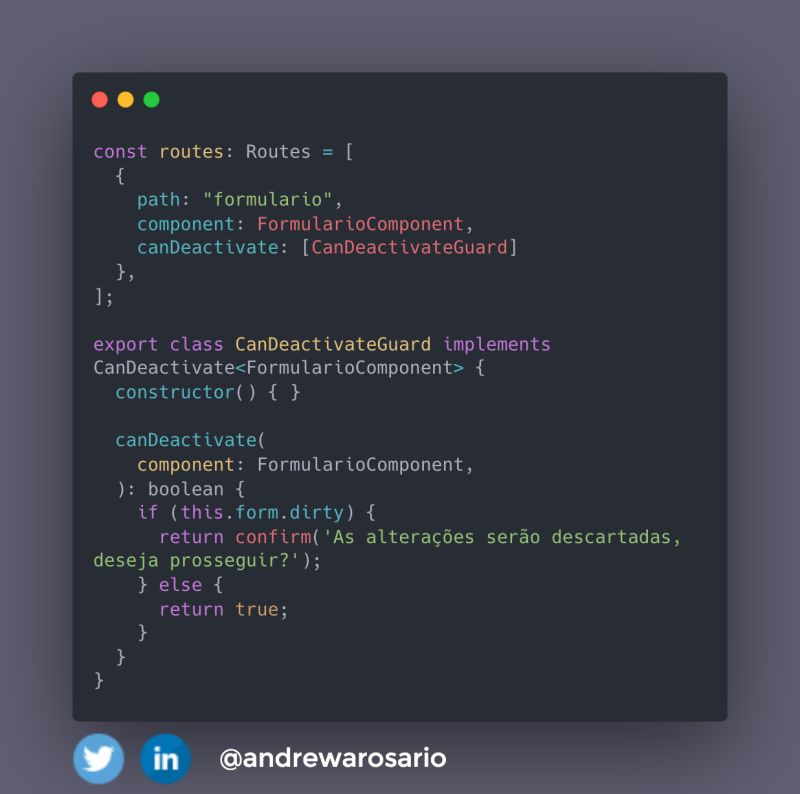
Finally, if you want to prevent the user from navigating away from the current path/component, you can implement the canDeactivate
guard. A typical example of such a use case is when working with
complex forms where we want to make sure the user has saved their
progress before navigating away from the current screen/component:

Another
exciting feature is that we can access the current component itself
instead of a service, which is especially useful for canDeactivate:

If you like those new framework features, I covered some more utility router functions released with Angular 14+ in this post.
You can also read this content on the web at Route guards – canActivate, canActivateChild, canDeactivate. All daily posts are archived at Daily Angular Newsletter.